
CKS Exam Dumps - Certified Kubernetes Security Specialist (CKS)
Searching for workable clues to ace the Linux Foundation CKS Exam? You’re on the right place! ExamCert has realistic, trusted and authentic exam prep tools to help you achieve your desired credential. ExamCert’s CKS PDF Study Guide, Testing Engine and Exam Dumps follow a reliable exam preparation strategy, providing you the most relevant and updated study material that is crafted in an easy to learn format of questions and answers. ExamCert’s study tools aim at simplifying all complex and confusing concepts of the exam and introduce you to the real exam scenario and practice it with the help of its testing engine and real exam dumps
You must connect to the correct host . Failure to do so may
result in a zero score.
[candidato@base] $ ssh cks000023
Task
Analyze and edit the Dockerfile located at /home/candidate/subtle-bee/build/Dockerfile, fixing one instruction present in the file that is a prominent security/best-practice issue.
Do not add or remove instructions; only modify the one existing instruction with a security/best-practice concern.
Do not build the Dockerfile, Failure to do so may result in running out of storage and a zero score.
Analyze and edit the given manifest file /home/candidate/subtle-bee/deployment.yaml, fixing one fields present in the file that are a prominent security/best-practice issue.
Do not add or remove fields; only modify the one existing field with a security/best-practice concern.
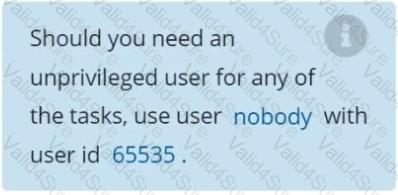
Should you need an unprivileged user for any of the tasks, use user nobody with user ID 65535.
Secrets stored in the etcd is not secure at rest, you can use the etcdctl command utility to find the secret value
for e.g:-
ETCDCTL_API=3 etcdctl get /registry/secrets/default/cks-secret --cacert="ca.crt" --cert="server.crt" --key="server.key"
Output
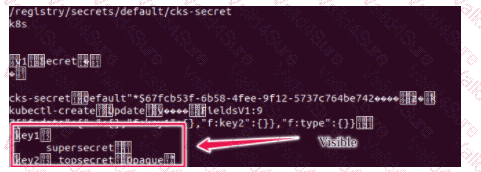
Using the Encryption Configuration, Create the manifest, which secures the resource secrets using the provider AES-CBC and identity, to encrypt the secret-data at rest and ensure all secrets are encrypted with the new configuration.
You can switch the cluster/configuration context using the following command:
[desk@cli] $Â kubectl config use-context devÂ
A default-deny NetworkPolicy avoid to accidentally expose a Pod in a namespace that doesn't have any other NetworkPolicy defined.
Task: Create a new default-deny NetworkPolicy named deny-network in the namespace test for all traffic of type Ingress + Egress
The new NetworkPolicy must deny all Ingress + Egress traffic in the namespace test.
Apply the newly created default-deny NetworkPolicy to all Pods running in namespace test.
You can find a skeleton manifests file at /home/cert_masters/network-policy.yaml
Documentation Upgrading kubeadm clusters
You must connect to the correct host . Failure to do so may result in a zero score.
[candidate@base] $ ssh cks000034
Context
The kubeadm provisioned cluster was recently upgraded, leaving one node on a slightly older version due to workload compatibility concerns.
Task
Upgrade the cluster node compute-0 to match the version of the control plane node.
Use a command like the following to connect to the compute node:
[candidate@cks000034] $ ssh compute-0
Do not modify any running workloads in the cluster.
Do not forget to exit from the compute node once you have completed your tasks:
[candidate@icompute-e] $ exit
Documentation Ingress, Service, NGINX Ingress Controller
You must connect to the correct host . Failure to do so may result in a zero score.
[candidate@base] $ ssh cks000032
Context
You must expose a web application using HTTPS routes.
Task
Create an Ingress resource named web in the prod namespace and configure it as follows:
. Route traffic for host web.k8s.local and all paths to the existing Service web
. Enable TLS termination using the existing Secret web-cert.
. Redirect HTTP requests to HTTPS .
You can test your Ingress configuration with the following command:
[candidate@cks000032]$ curl -L http://web.k8s.local
Task
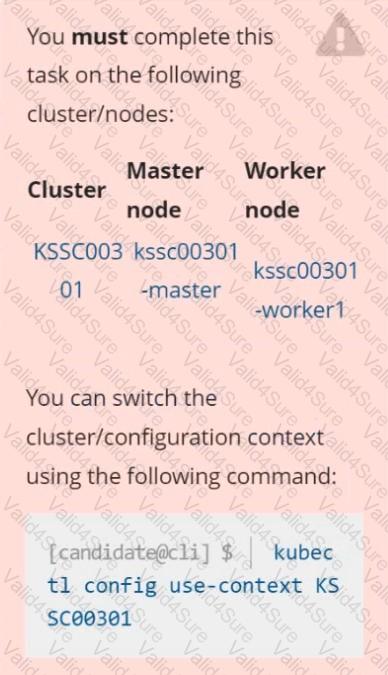
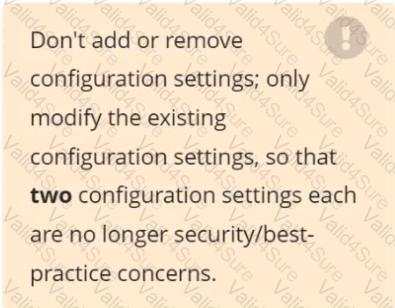
Analyze and edit the given Dockerfile /home/candidate/KSSC00301/Docker file (based on the ubuntu:16.04 image), fixing two instructions present in the file that are prominent security/best-practice issues.
Analyze and edit the given manifest file /home/candidate/KSSC00301/deployment.yaml, fixing two fields present in the file that are prominent security/best-practice issues.
Cluster: dev
Master node:Â master1
Worker node:Â worker1
You can switch the cluster/configuration context using the following command:
[desk@cli] $Â kubectl config use-context devÂ
Task:
Retrieve the content of the existing secret named adam in the safe namespace.
Store the username field in a file names /home/cert-masters/username.txt, and the password field in a file named /home/cert-masters/password.txt.
1. You must create both files; they don't exist yet.
2. Do not use/modify the created files in the following steps, create new temporary files if needed.Â
Create a new secret names newsecret in the safe namespace, with the following content:
Username:Â dbadmin
Password:Â moresecurepas
Finally, create a new Pod that has access to the secret newsecret via a volume:
Namespace:safe
Pod name:mysecret-pod
Container name:db-container
Image:redis
Volume name:secret-vol
Mount path:/etc/mysecret
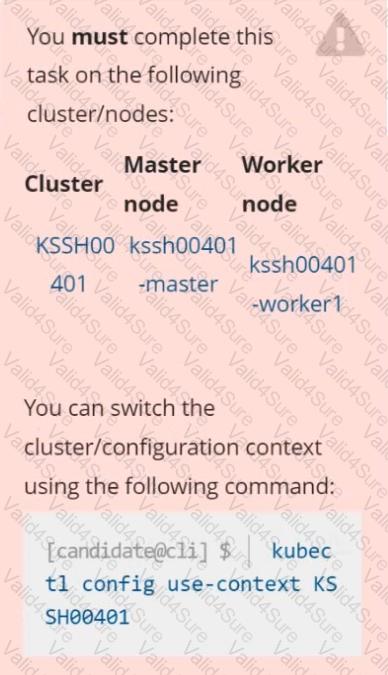
Context
AppArmor is enabled on the cluster's worker node. An AppArmor profile is prepared, but not enforced yet.
Task
On the cluster's worker node, enforce the prepared AppArmor profile located at /etc/apparmor.d/nginx_apparmor.
Edit the prepared manifest file located at /home/candidate/KSSH00401/nginx-pod.yaml to apply the AppArmor profile.
Finally, apply the manifest file and create the Pod specified in it.